You want to know more about our study, in simple language? Check the frequently asked questions below. If you have any more questions or doubts, please just get in touch with the lead researcher, Magdalena (m.matyjek@ucl.ac.uk).
What will I do as a participant in this study?
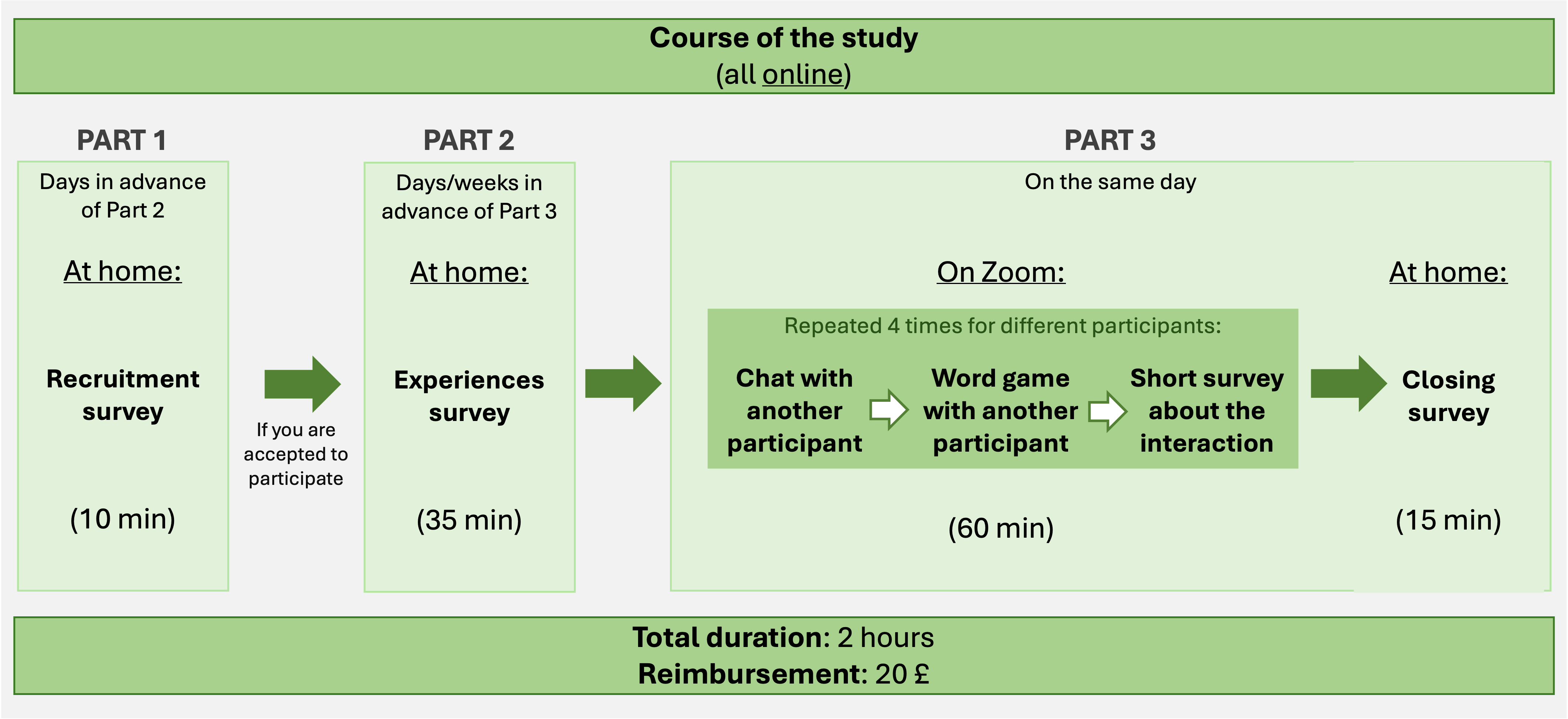
In general, you will complete some online surveys and then join for an hour to chat and play a game with other participants on Zoom. Here’s a summary:
How do I sign up for the study?
A brief survey to show your interest in the study: If you want to participate, you need to let us know you’re interested and we need to verify that you meet all the inclusion criteria. You can follow this link to take a 5-10 minute questionnaire to do that: https://shorturl.at/fXdti. We will review your answers and if you’re eligible, we will contact you by the email you provide there.
Additional information: We may ask you for additional information about you; you will be informed by email.
What are those “surveys”?
If you are eligible to participate, you will receive a link to an “experiences” survey. It’s online and should take around 35 minutes. It includes the full official Study Information and Consent Form, which you will need to sign (by checking the boxes in the survey) to continue. This is very important! Then, you will be asked to complete some standardized questionnaires (you might have already seen some in other studies) and a reasoning task (similar to the “IQ tests” you can find on the internet). There will be another survey, at the end of the study, after you have interacted with other participants on Zoom. This one should take 10-15 minutes and include some additional questionnaires and questions. You will also have the opportunity to share your feedback on the study there.
What will I need to do in the Zoom session?
In short, you will have a chat with four other participants (5 minutes each) and play a “Taboo” game (with very simple items, also 5 minutes). Everything is designed to be pleasant and easy. You will be given more instructions when the time comes.
How do I prepare for the Zoom session?
Am I prepared? Try the CHECKLIST!
We encourage you to prepare your space and technical set up for the Zoom session ahead of time according to the following points:
□ I will be in a calm room/space with no or little background noise.
□ I shouldn’t be interrupted/distracted throughout the time of the study (e.g., I do not expect that someone would enter the room, my phone is silenced/off/put away, there is no radio/TV on around me, etc.).
□ I will be using a PC/laptop (not phone/tablet).
□ My PC/laptop will be fixed in one stable position (e.g., lying on the table, not on my lap).
□ The background behind me will be constant/static (e.g., I am not seating in front of a window where people walking down the street are visible, my dog is not playing in the background, a TV is not running behind me).
□ I will have a good internet connection (details below).
□ I will have a working camera and microphone (details below).
□ I know the basics of how to use Zoom (details below).
□ I will be well positioned in front of the camera and the lighting conditions around me will be constant and good (details below).
□ I will be physically prepared for my participation during the Zoom session (I will not start hungry, or needing to go to the loo, etc.)
□ All the above will be applied throughout the whole Zoom session (to the best of my abilities).
You do not need to print or send this checklist to us. It is for you to help you prepare.
How do I check my internet connection?
– Got to https://fast.com/. The test will start automatically. When the number stabilises, please click on “Show more info”.
– To participate, you will need Internet speed (the big number) of at least 10Mbps and upload speed (visible after clicking “Show more info” on the right side) of at least 3 Mbps. If any of these values is lower in your test, please contact the researcher as soon as possible.
How do I check my camera?
– To make sure your camera is working well, please visit https://www.veed.io/tools/webcam-test or similar (google “web cam test”) and click “Start Test”.
– You will see a pop-up window in which you need to allow the website to access your camera.
– Your camera has to be on for the test but you do not need to be visible for it; the website does not record your camera’s input.
– On the left side of the camera window, you will see two values. To participate, you need:
a) frame rate of at least 30 fps
b) resolution of at least 640×480 p
If either of these values is lower for your camera, please contact the researcher as soon as possible.
How do I check my microphone?
– To make sure your microphone is working well, please visit https://www.mictest.co or similar (google “mic test”) and click “Start mic test”.
– You will see a pop-up window in which you need to allow the website to access your microphone.
– Say something and watch the lines respond to your voice.
In the end, you should see a sentence summarising your microphone’s performance, which is hopefully “Congratulations!! Your Mic is Working Perfectly”. If the website detects some issues with your microphone, please contact the researcher as soon as possible.
How to use Zoom?
– Zoom is an easy-to-use and quite intuitive software, but if you feel like you would like to learn more before joining the study, you can visit Zoom website for some trainings: https://support.zoom.com/hc/en/getting-started-with-meetings?id=zoom_meetings_guide.
– You may join the session via your browser or via Zoom Desktop Client. While both are ok, we recommend downloading the Zoom Desktop Client which is more stable and easier to use. You can download it from here: https://zoom.us/download (the first item).
– You do not need a Zoom account to join the session.
How do I position myself for the Zoom session?
Please make sure that:
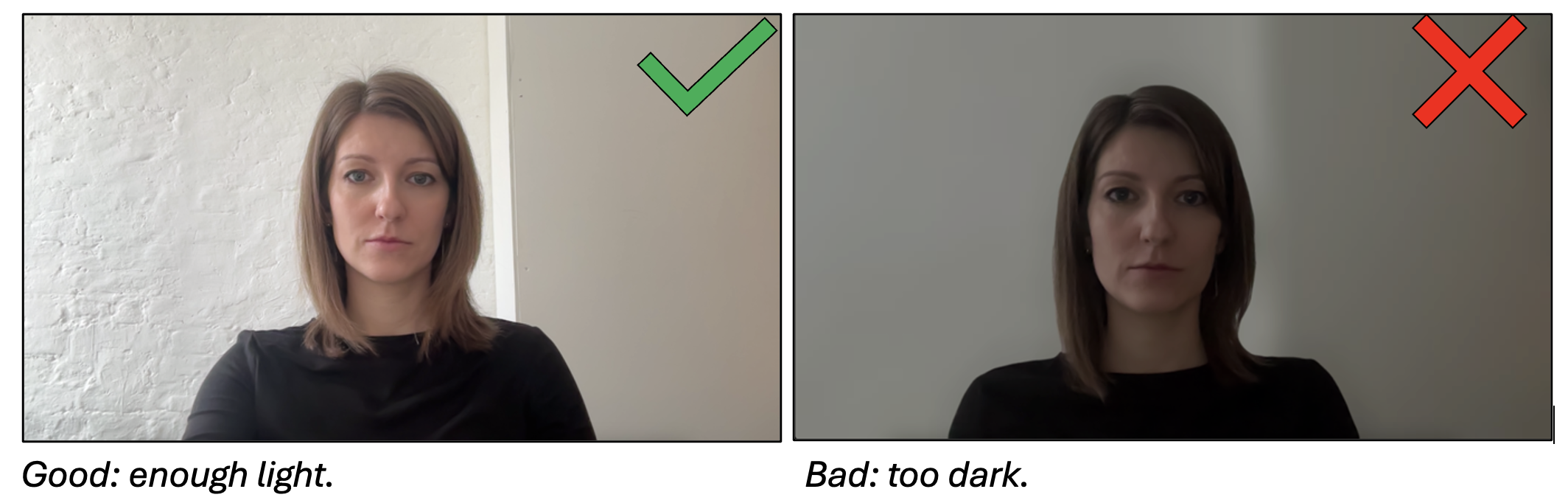
1. There is enough light around you to see you clearly (VERY IMPORTANT!)
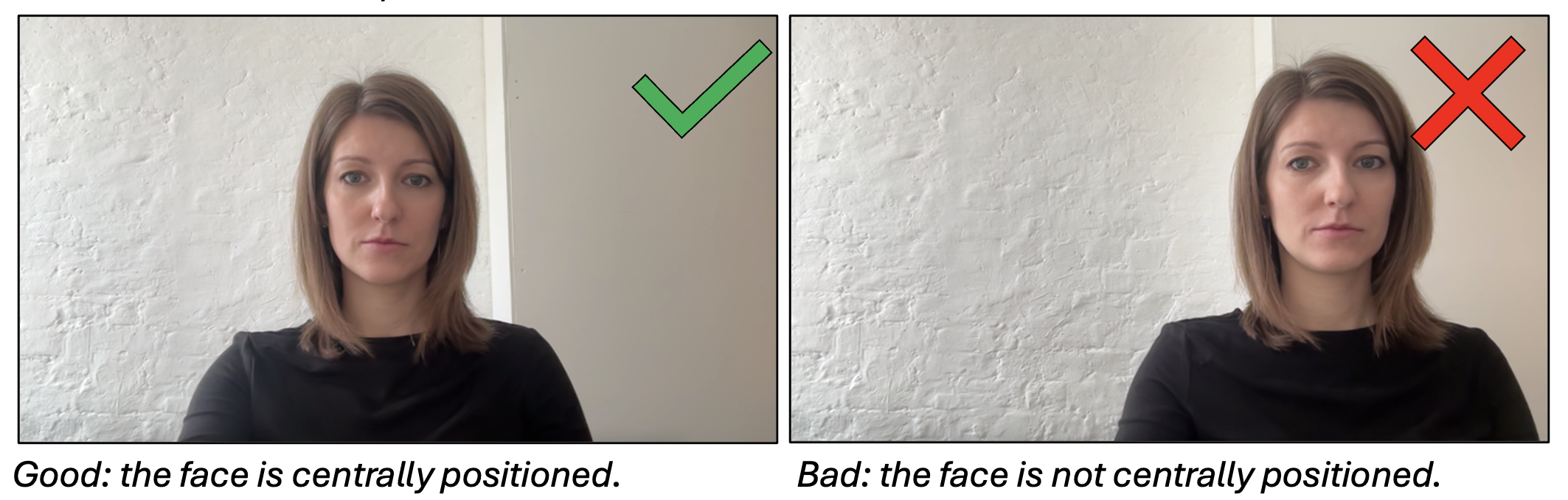
2. You are seated centrally in front of the camera (would be nice, but not crucial).
3. You see the screen well and you won’t need to more closer of further to be able to read on the screen or see sharply (would be nice, but not crucial).
4. Your whole face is fully visible in the camera (VERY IMPORTANT!)
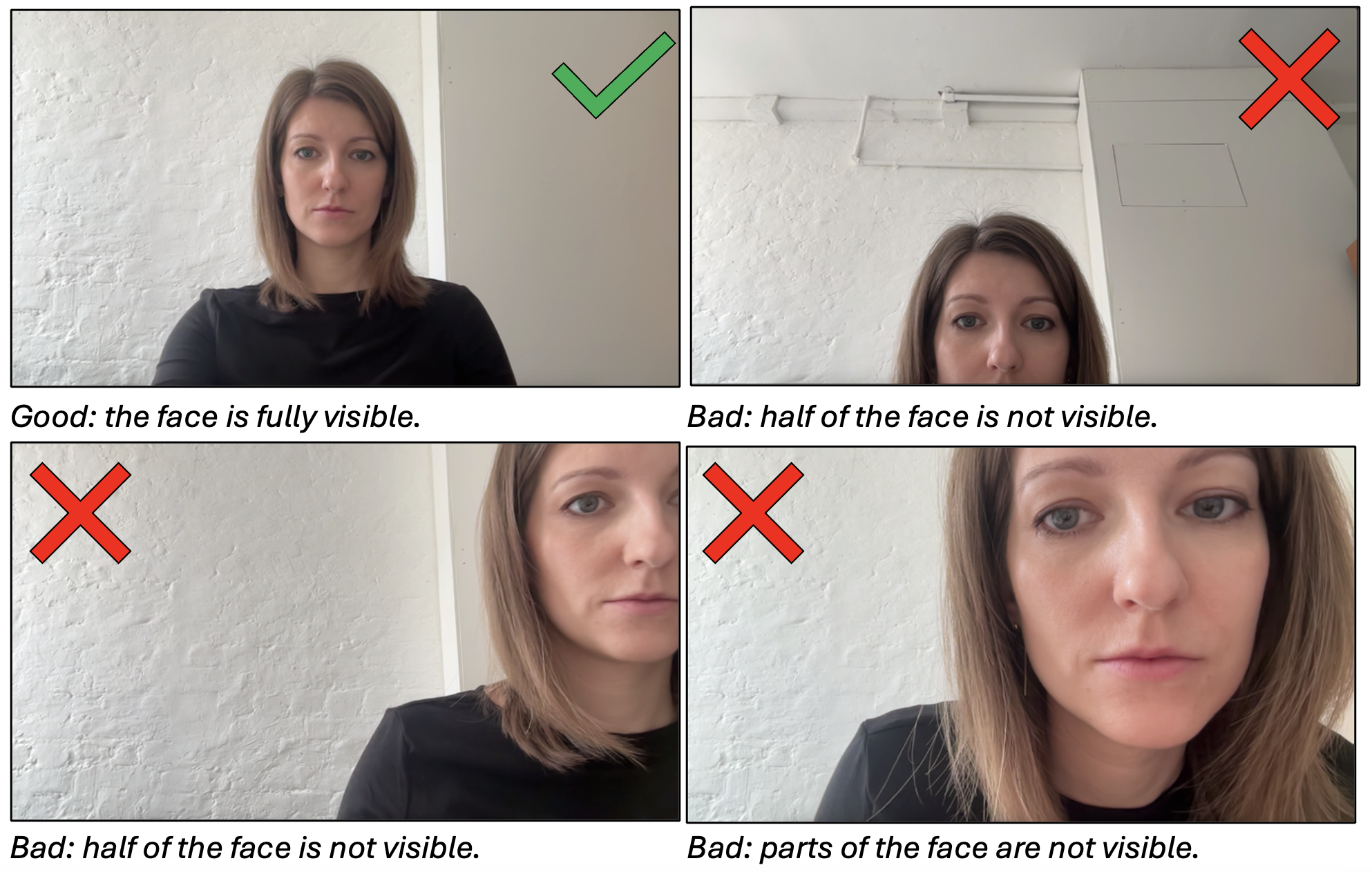
5. Nothing occludes a big part of your face (e.g., sunglasses, a big hat, hair on the face) (VERY IMPORTANT!)
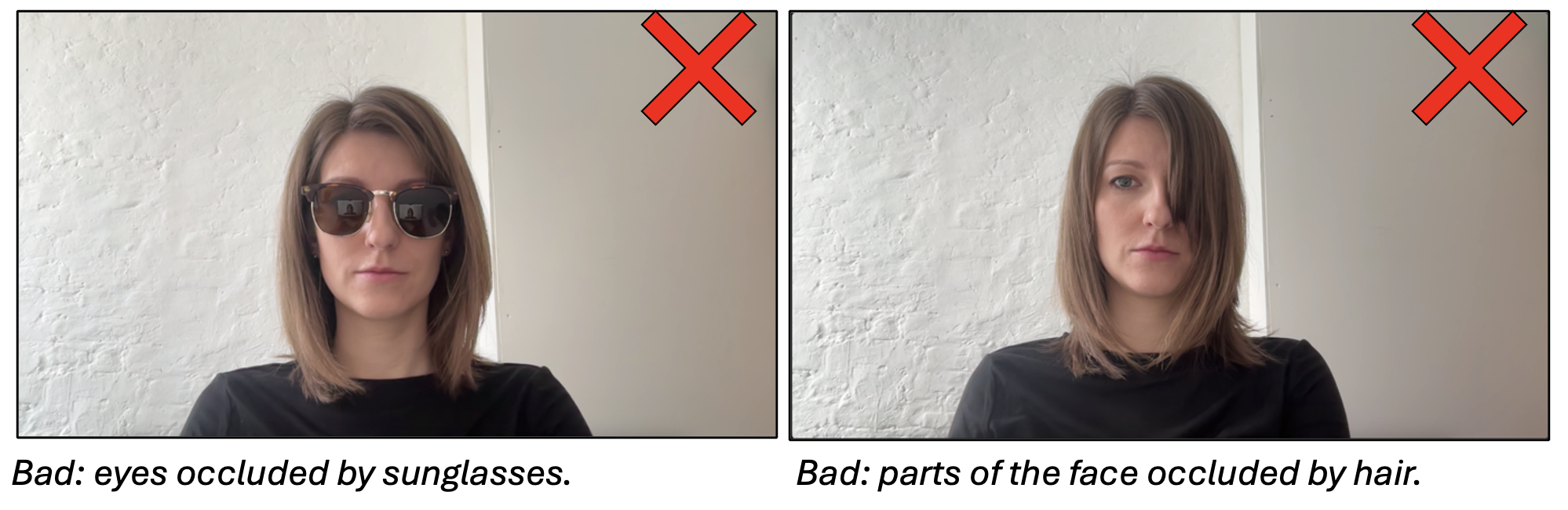
6. If you wear glasses, there isn’t a strong reflection over your eyes. If this is the case, please consider wearing contact lenses for the study (would be nice, but not crucial).

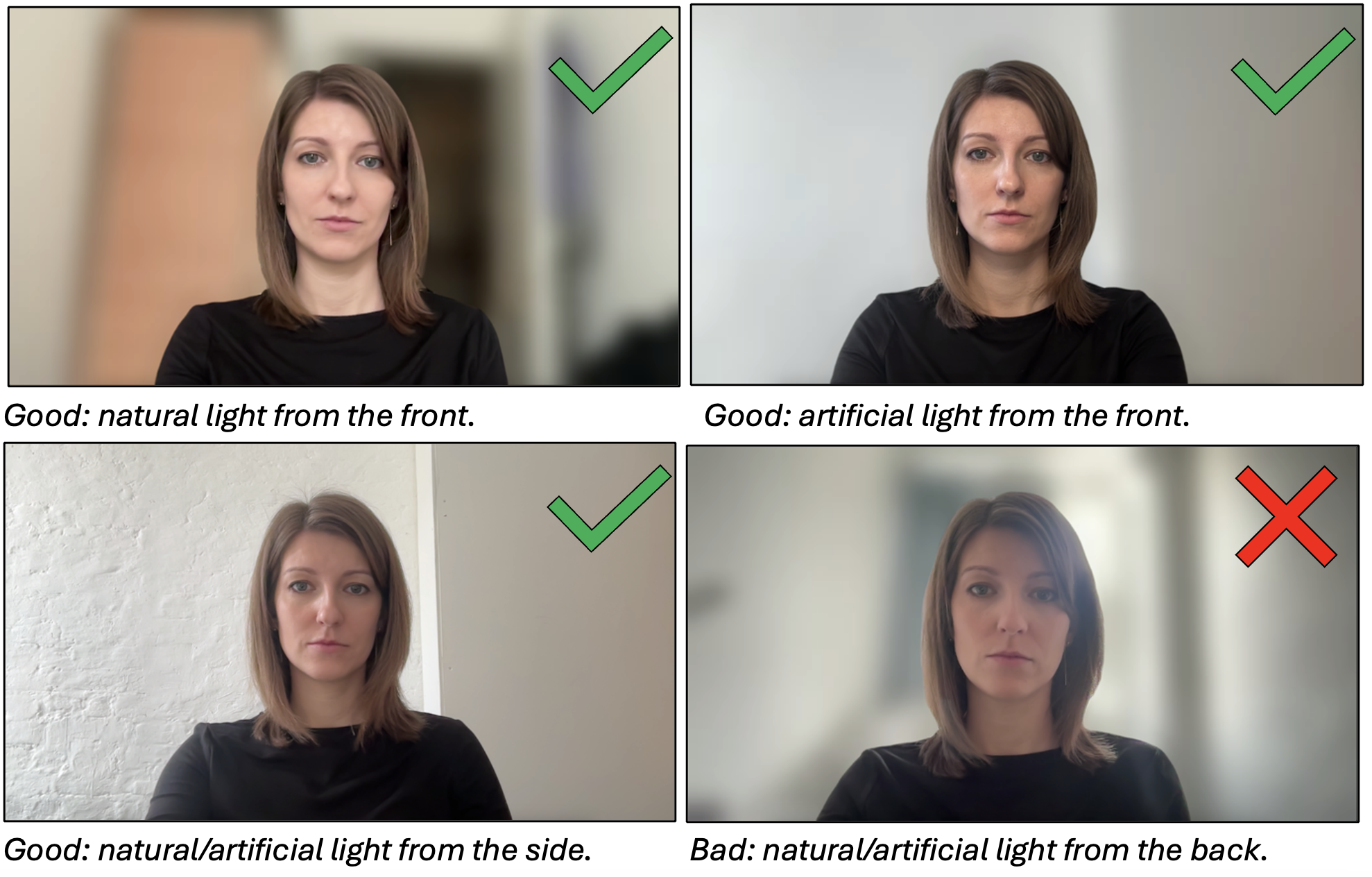
7. The source of light in the room is in front of you or slightly to the side, but not behind you. The light conditions are constant throughout the session (e.g., you will not need to switch a lamp on or off, if yes – do it before the session) (would be nice, but not crucial).
8. There are no other faces in the camera next to you – be it other people or pictures of other people (e.g., photos or posters in the background) (VERY IMPORTANT!)
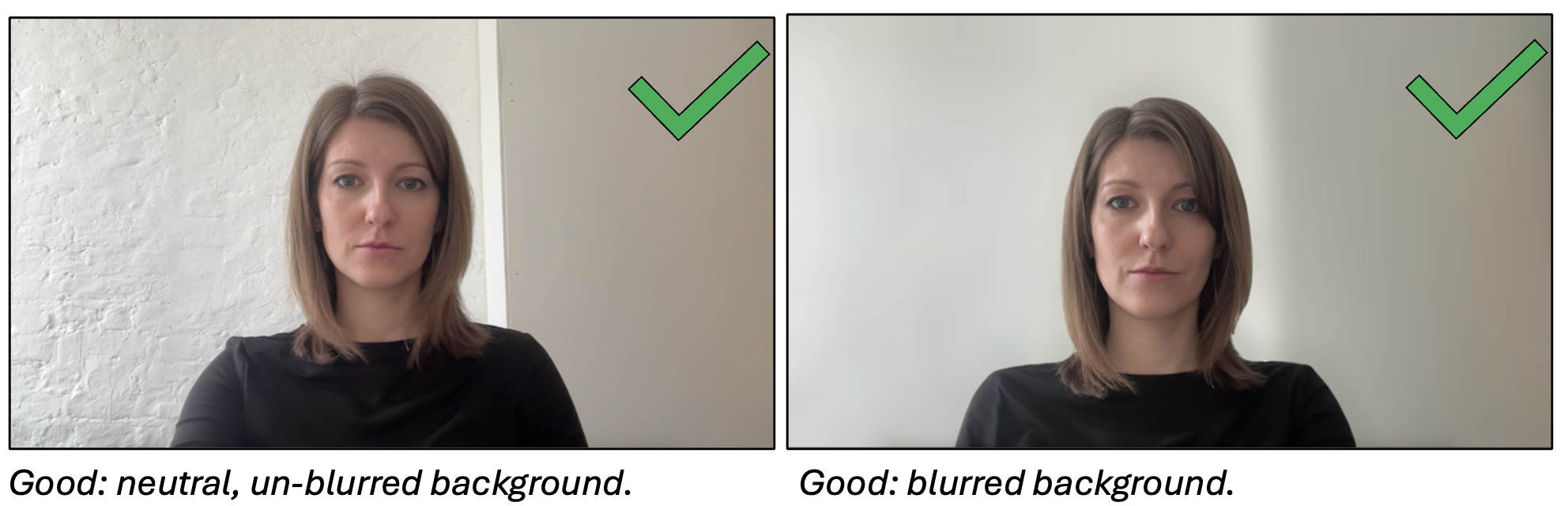
9. There is nothing in your background that is personal or that you don’t want to share (e.g., a picture of your kids, post-its with contact information, etc.) (VERY IMPORTANT!).
10. You may choose to blur your background if you want to, but it is not necessary (follow this link to see how to blur the background in Zoom).
Which Zoom functions do I need to know for the study?
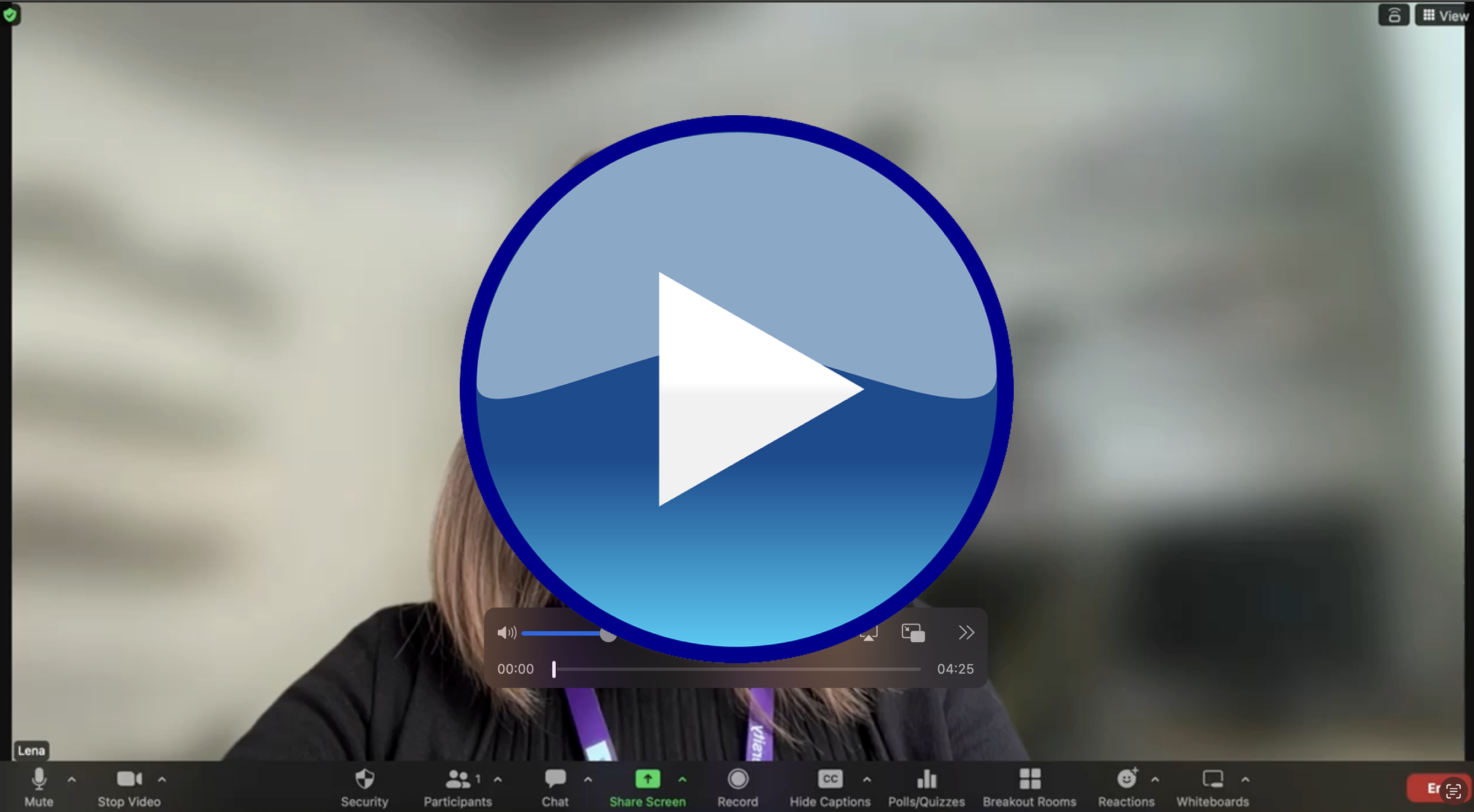
You should mainly know: how to mute/unmute your microphone, open/close the camera, and change your name. Follow the link below for a short video we prepared to show you these functions. We will also go through them together in the beginning of the Zoom session.
I’m still not sure I’m comfortable with Zoom. What can I do?
No worries! If you want to make sure you are comfortable with the technicalities of Zoom before participating, just send an email to the lead researcher, Magdalena (m.matyjek@ucl.ac.uk) to set up a quick Zoom call where you can practice and ask any questions.
What if I change my mind?
First of all, your participation is voluntary and you may decide to stop at any point, even after you have signed the consent form.
That being said, we would really appreciate it if you could tell us as soon as you can in case you cannot join the Zoom session. This is because there will be 6 participants and 2 experimenters in this session, and each change requires many adaptations. So, if you can’t be there for any reason, please tell us as much in advance as you can. If a participant does not show up, we lose data.
I still have questions/doubts!
No problem! Just send an email to the lead researcher, Magdalena (m.matyjek@ucl.ac.uk), and ask.
Final note:
We are doing our best to make sure that our studies are of the highest quality, but the most important thing is that our participants are comfortable and safe in the study. If there is anything you think we should know about you or your needs – please get in touch!
 MagdaLena Matyjek, Ph.D.